
Skip to content
DearFlip WordPress
  • Plugins
    • WordPress Flipbook
    • JS Flipbook
    • Joomla Flipbook
  • Demos
    • Embedded Example
    • Popup Examples
    • Online PDF Viewer
  • Pricing
  • Docs
  • Support
  • Account
  • Blog
DearFlip WordPress
  • Plugins
    • WordPress Flipbook
    • JS Flipbook
    • Joomla Flipbook
  • Demos
    • Embedded Example
    • Popup Examples
    • Online PDF Viewer
  • Pricing
  • Docs
  • Support
  • Account
  • Blog

Getting Started

  • Getting Started – Quick
  • Installation
  • Create 3D Flipbooks
  • Create Spiral 3D Flipbook (Pro)
  • Create Hybrid 3D Flipbook (Pro)
  • Create PDF Viewer/Reader
  • Create Slider Viewer

Organizing Flipbooks

  • Organizing Flipbooks
  • Multiple Flipbooks in a page
  • Using Categories
  • Using Book Shelf (Pro)
  • Sort Flipbooks (Pro)
  • Open Flipbook with custom buttons & elements(PRO)

Features & Settings

  • Selective Script Loading
  • Features & Settings – Quick
  • Google Analytics(PRO)
  • Settings
  • Shortcode-options

Customizations

  • Customizing Layout / Controls (look)
  • Customizing Buttons
  • Customize popup thumb
  • Customize Page/PDF Links
  • Turn off Zoom on mouse scroll
  • Remove or change Download button
  • Remove Share Button
  • Open Book at certain page
  • Open Flipbook in New Tabs

FAQs

  • Icons are missing?
  • PDF not Loading!
  • PDF loading is slow!
  • Fullscreen Faqs
  • General FAQs & Issues
  • Flipbook loading issue
  • Change Log

Presale, Purchase & License

  • Purchase & Licensing / Upgrading
  • Free(Lite) vs Premium Comparision
  • License Utilization
  • License Activation issues
  • How to Change Invoice details
View Categories
  • Home
  • Documentation
  • FAQs
  • Flipbook loading issue

Flipbook loading issue

1 min read

Case 1: No Loading Icon + Long Message: #
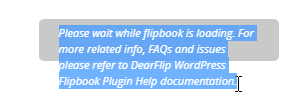
If you see the loading message and don’t see a loading icon. Then the issue is related to code execution.

  • Cause A – Other plugin error: DearFlip uses jQuery to start the plugin and if other jQuery plugins cause any errors, the execution of DearFlip is also disturbed. The flipbook never advances further and is stuck at the initial loading message. Check your Browser console (CTRL + SHIFT + I) and make sure there are no errors.
  • Cause B – WordPress 5.5 update: This is similar to cause A. With WordPress 5.5, jQuery got updated and many other plugins failed, and that results in cause A. So check your Browser console (CTRL + SHIFT + I) and make sure there are no errors.
  • Cause C – DearFlip error: Check your Browser console (CTRL + SHIFT + I) and make sure there are no errors in Console Tab. If the error displayed is from dflip.min.js then report it using the contact lite support button below.

Case 2: Loading Icon + Loading Message: #

This is a normal case and the messages are displayed as the resources and files are loaded.


Case 3: Loading stuck at certain Message: #

This happens when the related file for loading is missing or inaccessible. For the best results, we recommend using(hosting) the files from the same domain. Check your Browser console (CTRL + SHIFT + I) and make sure there are no errors in Console Tab. If there are errors please report it using the contact lite support button below.


Case 4: Cannot access File – 404: #

Make sure the file is accessible. Try opening the link in browser opening a new tab and inserting the PDF URL – see if it opens. Make sure it opens. Filename is mistaken or not added at all.


Case 5: Cross Origin (CORS) #

This occurs when the file and page are in HTTP and https mixed protocol. This is a result of improper https redirection. We recommend using a proper setup to redirect every HTTP request to https to avoid any conflict.

If you are using the file from another domain, make sure you have proper CORS setup done in another domain. For Apache Server, add following lines in .htaccess file

Header set Access-Control-Allow-Origin "*" 
Header set Access-Control-Allow-Headers "Range" 
Header set Access-Control-Expose-Headers: "Accept-Ranges, Content-Encoding, Content-Length, Content-Range"

More Info: https://enable-cors.org/server.html

NOTE: PDF files from online file-sharing servers like Google Drive, One Drive, Dropbox cannot be configured for CORS access. They won’t allow it.

Still stuck? How can we help?

How can we help?

Updated on July 19, 2024

Leave a Comment Cancel reply

Table of Contents
  • Case 1: No Loading Icon + Long Message:
  • Case 2: Loading Icon + Loading Message:
  • Case 3: Loading stuck at certain Message:
  • Case 4: Cannot access File - 404:
  • Case 5: Cross Origin (CORS)

Links

  • Terms and Conditions
  • License Terms
  • Privacy Policy
  • Browser Test

Recent Posts

  • (no title)
  • Protected: Flipbook in a password page
  • Case Study: Open PDF File links as Flipbook
  • Transparent background example
  • Multiple Embeds in a Page

Products

  • DearFlip 3D Flipbook JS Plugin
  • DearFlip 3D Flipbook WordPress Plugin
  • DearFlip 3D Flipbook Joomla Plugin
  • Online PDF Viewer
  • DearFlip PDF Flipbook for Chrome
  • Mashshare Social Sharing WordPress plugin
© 2026 | A product of DearHive.com